
SSWNetworkCCTV & Security
SightSweep
Evidence-based IP scanner for Windows — local networks, IP cameras, NVRs and DVRs.
A local-first IPv4 scanner that shows devices the moment they answer, keeps unknown devices visible, and explains the evidence behind every classification.
Download · Installer 2.0.0Downloads and documentation are published on GitHub; the source code is not. GitHub
01Screens
02Overview
SightSweep is a local-first Windows IPv4 scanner. It discovers reachable devices on a network you are authorized to manage, keeps unknown devices visible by IP, and explains the evidence behind camera, recorder, router, computer, printer and other classifications.
It shows what it found the moment it finds it, then does the slower work of enrichment only on the hosts that answered. Nothing about the network leaves the machine it runs on.
03Capabilities
Progressive discovery
ARP and neighbour tables, ICMP, bounded TCP, reverse DNS, ONVIF WS-Discovery, SSDP and mDNS, with optional NetBIOS. Devices appear as soon as they answer; enrichment runs only on hosts that were found.
Evidence, not guesses
Specialised evidence for IP cameras, NVRs, DVRs, ONVIF, RTSP and common services. An open port alone is never treated as proof of a vendor or device type.
Unknown stays visible
A reachable device is listed by IP even when classification evidence is incomplete.
Quick or thorough, any range
Quick and Thorough modes, a selected adapter, and CIDR or exact inclusive IPv4 ranges of up to 4,096 hosts.
Projects and history
Local projects, saved networks, scan history and comparison, and confirmed cross-scan identities for your labels and notes — IP reuse alone never links them. Credential-free CSV and JSON exports.
Light on the machine
Responsive cancellation and bounded concurrency. No Nmap, Npcap, driver or administrator requirement for normal scans.
Three languages
English, Turkish and Arabic interfaces, with a right-to-left Arabic layout.
Accessible by design
Keyboard navigation, visible focus, high contrast and status cues that do not rely on colour.
04How it works
- 01Bounded local reachability discovery runs first, and devices are shown immediately.
- 02Only discovered hosts are enriched with service and hostname evidence.
- 03Credential-free ONVIF WS-Discovery runs in parallel for camera and recorder hardware.
05Specifications
| Version | 2.0.0 |
|---|---|
| Discovery | ARP/neighbour, ICMP, TCP, reverse DNS, ONVIF WS-Discovery, SSDP, mDNS; optional NetBIOS |
| Address family | IPv4 |
| Exports | CSV, JSON (credential-free) |
| Languages | English, Turkish, Arabic (right-to-left) |
| Scan range | CIDR or exact inclusive ranges, up to 4,096 hosts |
| Editions | Per-user installer (no administrator rights by default) or portable ZIP — both bundle .NET |
| Updates | Background Stable checks about once a day, can be disabled; never installs automatically |
| Code signing | Not yet available — verify against SHA256SUMS.txt |
| Requirements |
|
| Licence | Proprietary freeware The unmodified compiled application may be used for lawful personal and internal commercial administration under the included EULA. Redistribution, resale, modification and source rights are not granted. |
06Safety, privacy & security
Safety
Authorized use only
- Use SightSweep only on local networks and devices you own or are explicitly authorized to administer.
- It does not include password guessing, credential spraying, exploitation, bypass features or Internet-wide scanning.
Privacy
Privacy
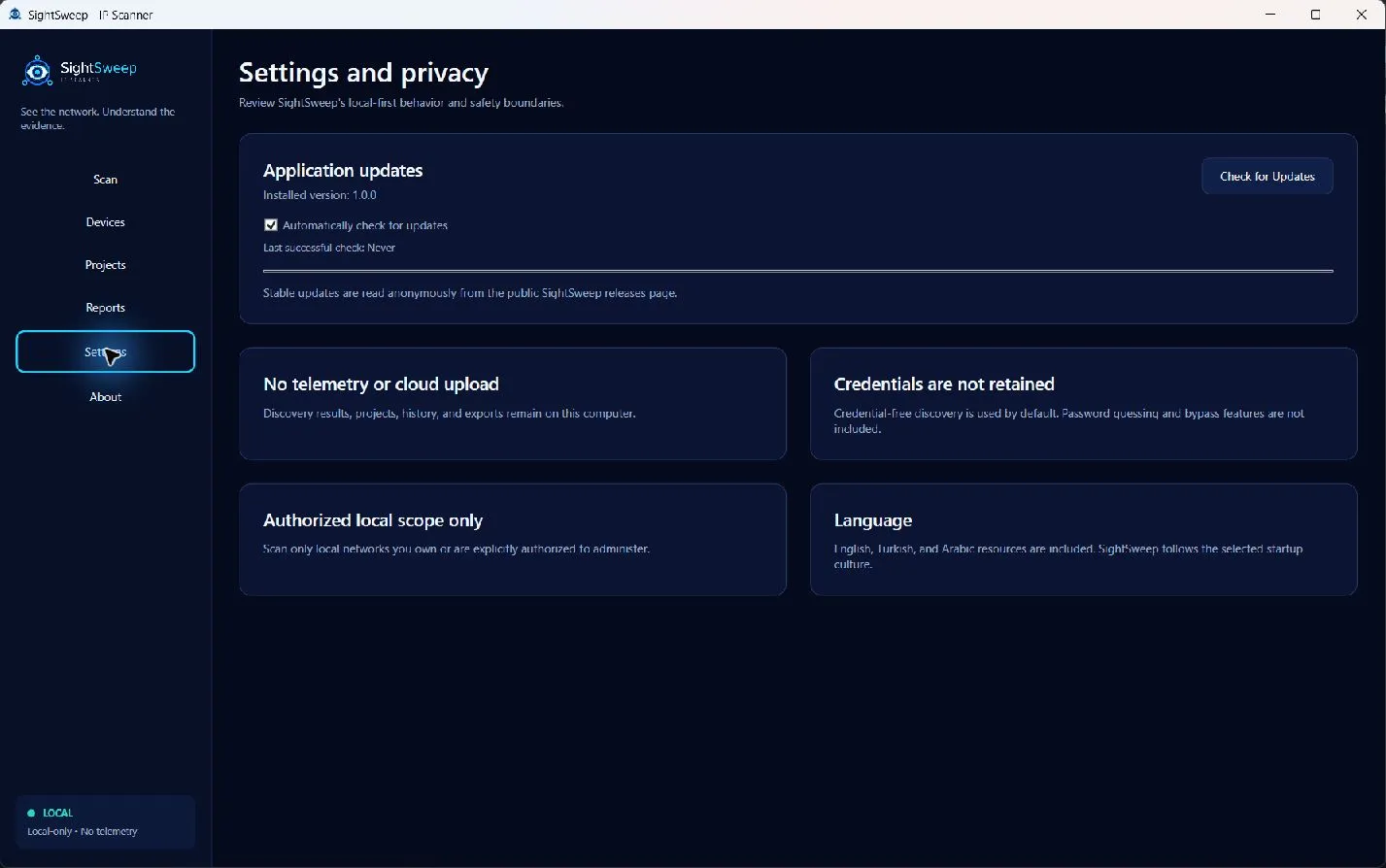
- Scan results, projects, history and exports stay on your computer.
- No telemetry, analytics, advertisements, cloud upload or account requirement.
- Automatic Stable update checks send only an anonymous request for public release metadata — never scan data — and can be disabled in Settings. Updates are never installed automatically.
07Known limitations
- Sleeping devices, host firewalls, VLAN boundaries, Wi-Fi client isolation, routing and disabled discovery protocols can hide connected devices.
- Discovery is IPv4 only. IPv6 discovery is not included.
- ONVIF detection is credential-free; devices with discovery disabled or isolated may not respond.
- Vendor/OUI lookup and embedded RTSP preview are not included.
- Exhaustive device, routing, operating-system and enterprise deployment coverage is not claimed.
08Downloads
2.0.0Release notes
Installer.exe
Installs the application on this PC.
SightSweep-v2.0.0-win-x64.exe
Download46.2 MBPortable.zip
Runs without installation.
SightSweep-v2.0.0-win-x64.zip
Download62.7 MB
Verify the download
Compare the SHA-256 hash of the downloaded file with the checksum published in the same release. In PowerShell:
Get-FileHash .\SightSweep-v2.0.0-win-x64.exe -Algorithm SHA256ChecksumsSHA256SUMS.txt
Included documentsEULA.txtTHIRD_PARTY_NOTICES.txt
09Release history
Broader layered discovery, Quick/Thorough modes and exact ranges, a compact results workspace, saved networks and cross-scan identities, and a per-user installer beside the portable ZIP.
First stable public release — progressive discovery, evidence-based classification, projects, exports and EN/TR/AR interfaces.