LDPNetworkB.03
LanternDrop
Scan. Transfer. Done. Files and text between Windows and your phone, over your own network.
Releases and documentation only — source is not published.
01Overview
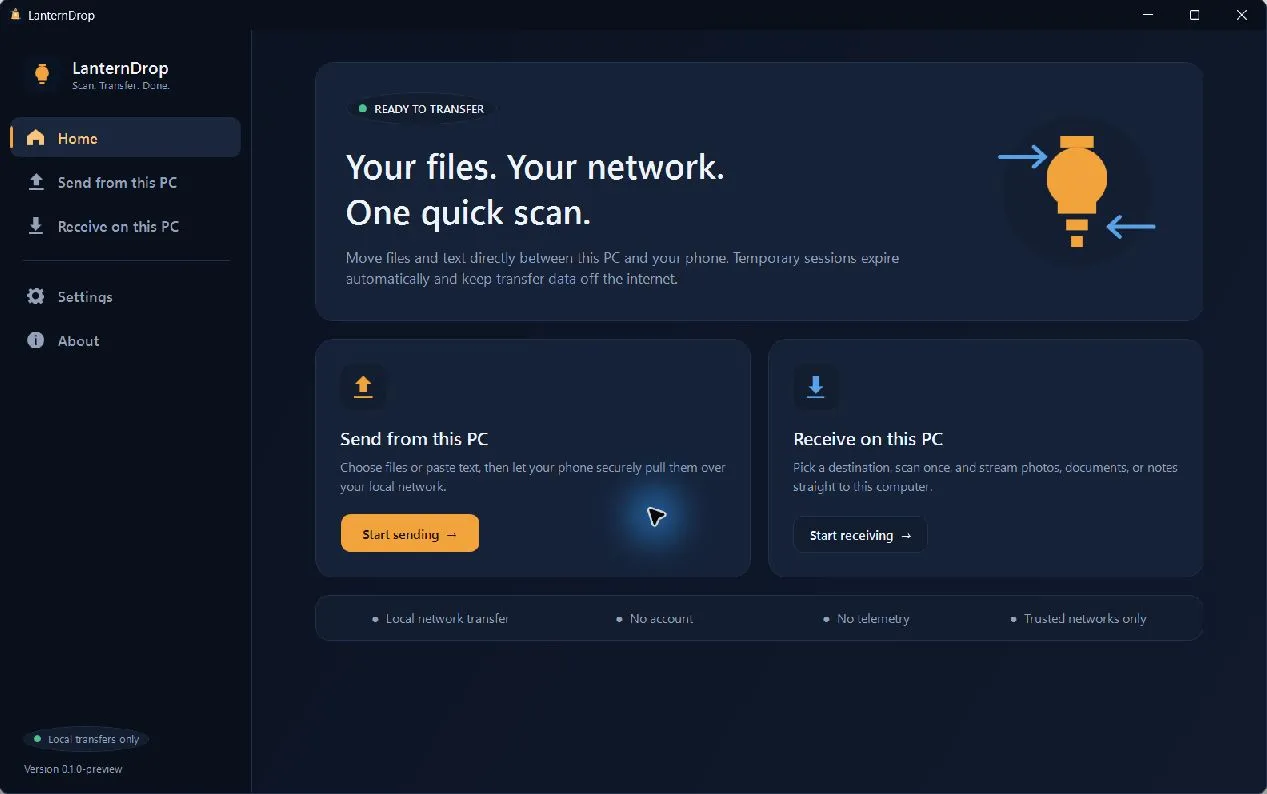
LanternDrop is a Windows 11 application for exchanging files and plain text with a phone on the same private local network. Scan one temporary QR code and transfer directly between the two devices — no phone application, browser extension, account, cloud storage or telemetry required.
Local transfers keep working without internet access. The only thing that ever leaves the network is an update check, and only when you ask for one or turn it on.
02Capabilities
Both directions
Send files and text from Windows to a phone, or receive them from the phone.
Temporary sessions
Expiring QR-code sessions with a random token, stopped manually or automatically.
Direct streaming
Transfers stream on the selected LAN, including HTTP Range downloads.
Careful with files
Collision-safe receives, upload cancellation and partial-file cleanup.
Honest progress
Per-transfer progress, bytes, speed and activity history.
Considerate UI
Dark and Light themes plus Reduce Motion.
03How it works
- 01Open Send from this PC or Receive on this PC, choose the content or destination, and select the private-network adapter shared with your phone.
- 02Start the temporary session and scan the QR code with the phone.
- 03Transfer in the phone browser, then stop the session or let it expire.
04Screens
Phone browser — receiving what the PC shared. No app to install. Phone browser — choosing files or text to send to the PC. Settings — themes, Reduce Motion and update-check preferences. About — manual update check against the stable channel.
05Specifications
| Version | 1.0.0 |
|---|---|
| Transport | Local HTTP on the selected adapter (IPv4), with HTTP Range support |
| Phone side | Any modern mobile browser — nothing to install |
| Build | Standalone Windows x64 executable, or ZIP |
| Update checks | Manual, or optional once per launch |
| Code signing | Not signed — verify against SHA256SUMS.txt |
| Requirements |
|
| Licence | Free for personal use and evaluation Formal licensing terms for redistribution or commercial use are not finalized. Copyright © 2026 KLOWZY. All rights reserved. |
06Safety, privacy & security
Caution
Use on a trusted network
- Transfer traffic uses local HTTP and is not encrypted. The temporary random token reduces casual unauthorized access, but it cannot protect traffic from a capable interceptor on the local network.
- Use LanternDrop only on a trusted private network or personal hotspot. Public or shared Wi-Fi is not recommended.
- LanternDrop has not received an external security audit.
Privacy
Privacy
- Files and text stay on the selected LAN and are never uploaded to a cloud service.
- No analytics or telemetry.
- Update checks happen only when requested or enabled, and never include transfer content, filenames, paths, clipboard text or session tokens.
07Known limitations
- Windows 11 x64 is the primary target.
- A trusted private LAN is required; IPv4 is used for sessions.
- Automatic download or installation of updates is not included.
08Downloads
v1.0.0Aug 24, 2026Release notes
| File | Type | Size |
|---|---|---|
| LanternDrop.exe | Application | 159.1 MB |
| LanternDrop-1.0.0-win-x64.zip | Application | 70.4 MB |
| SHA256SUMS.txt | Checksum | 178 B |
Verify before you run
Releases are not code-signed. Compare the SHA-256 hash of your download with the checksum file published beside it.
Get-FileHash .\LanternDrop.exe -Algorithm SHA25609Release history
First stable release — both directions, expiring QR sessions, streamed transfers with HTTP Range, stable-channel update checks.
Release notesFirst public preview.
Release notes